

DevOps
评论851字数 1361阅读4分32秒阅读模式

一、简述
为简化管理与维护流程,我们将进行Git仓库迁移,由GitHub转移至自建GitLab平台。本次迁移无需您手动转移代码至GitLab,仅需在下班前,确保将本地所有代码更新同步至GitHub仓库。后续,我们会提供新的GitLab仓库地址和账号。届时,请依据操作指南,简单修改本地Git配置,将远程仓库指向新的GitLab地址即可。
二、准备工作
2.1 GitLab服务器配置
-
CPU:至少4个核心。
-
内存:至少8GB RAM。
-
存储空间:至少200GB可用空间。
-
带宽:至少20MB
2.2 提供使用git仓库的人员名单
|
姓名
|
邮箱
|
2.3 GitHub管理员账号
-
用于仓库迁移期间创建token以及查看原仓库的群组等。
2.4 提供一个新邮箱
-
用在gitlab配置,如有人忘记gitlab密码,使用邮箱找回即可。
三、模拟场景
-
gitlab搭建参考https://devops.ubuntu.ltd/1773.html
-
迁移GitHub上的setuptools项目到GitLab上
-
项目地址 https://github.com/cncentoscn/setuptools
-
分别在master/devops/test分支提交1.txt/2.txt/3.txt文件到对应分支
-
setuptools代码库里面有多个分支
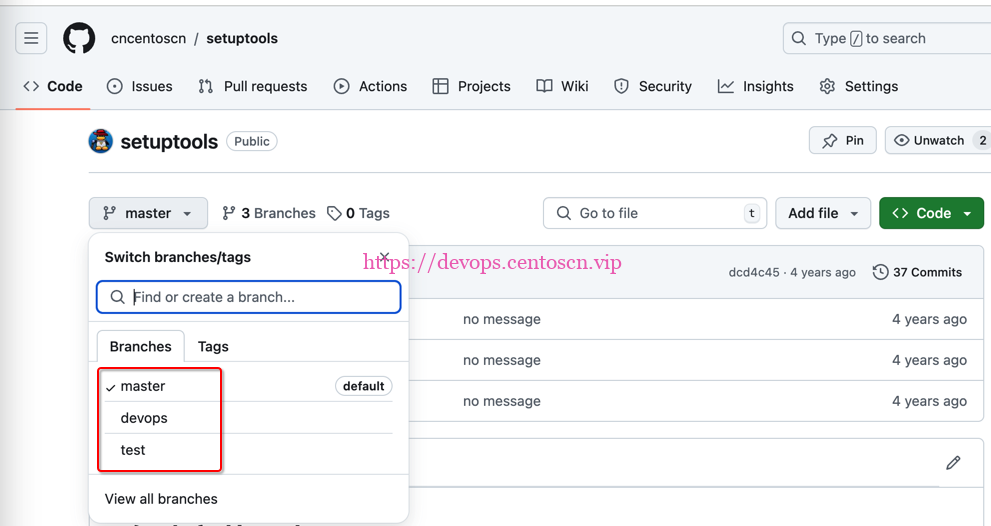
A 模拟master分支追加代码提交
devops@localhost ~ % cd setuptools
devops@localhost setuptools % ls
README.md        config.conf        scripts
devops@localhost setuptools % git branch
* master
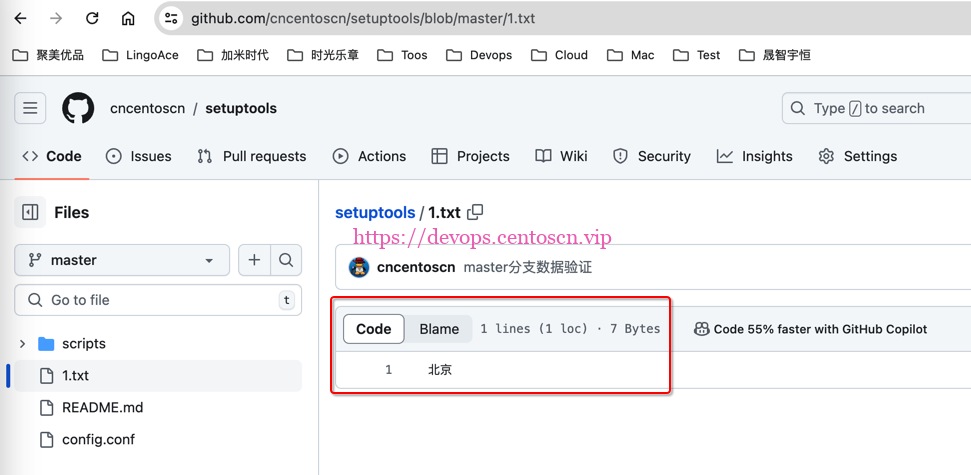
devops@localhost setuptools % echo "北京" > 1.txt
devops@localhost setuptools % cat 1.txt
北京
devops@localhost setuptools % git add .
devops@localhost setuptools % git commit -m "master分支数据验证"
[master 451b024] master分支数据验证
 1 file changed, 1 insertion(+)
 create mode 100644 1.txt
devops@localhost setuptools % git push origin master
Enumerating objects: 4, done.
Counting objects: 100% (4/4), done.
Delta compression using up to 8 threads
Compressing objects: 100% (2/2), done.
Writing objects: 100% (3/3), 370 bytes | 370.00 KiB/s, done.
Total 3 (delta 0), reused 0 (delta 0), pack-reused 0
To github.com:cncentoscn/setuptools.git
   dcd4c45..451b024  master -> master
B 模拟devops分支追加代码提交
devops@localhost setuptools % git checkout devops
branch 'devops' set up to track 'origin/devops'.
Switched to a new branch 'devops'
devops@localhost setuptools % git branch
* devops
  master
devops@localhost setuptools % ls
README.md        config.conf        scripts
devops@localhost setuptools % echo "杭州" > 2.txt
devops@localhost setuptools % git add .
devops@localhost setuptools % git commit -m "devops分支数据验证"
[devops f2d2195] devops分支数据验证
 1 file changed, 1 insertion(+)
 create mode 100644 2.txt
devops@localhost setuptools % git push origin devops
Enumerating objects: 4, done.
Counting objects: 100% (4/4), done.
Delta compression using up to 8 threads
Compressing objects: 100% (2/2), done.
Writing objects: 100% (3/3), 371 bytes | 371.00 KiB/s, done.
Total 3 (delta 0), reused 0 (delta 0), pack-reused 0
To github.com:cncentoscn/setuptools.git
   dcd4c45..f2d2195  devops -> devops
C 模拟test分支追加代码提交
devops@localhost setuptools % git checkout test
branch 'test' set up to track 'origin/test'.
Switched to a new branch 'test'
devops@localhost setuptools % git branch
  devops
  master
* test
devops@localhost setuptools % echo "广州" > 3.txt
devops@localhost setuptools % git add .
devops@localhost setuptools % git commit -m "test分支数据验证"
[test c371886] test分支数据验证
 1 file changed, 1 insertion(+)
 create mode 100644 3.txt
devops@localhost setuptools % git push origin test
Enumerating objects: 4, done.
Counting objects: 100% (4/4), done.
Delta compression using up to 8 threads
Compressing objects: 100% (2/2), done.
Writing objects: 100% (3/3), 369 bytes | 369.00 KiB/s, done.
Total 3 (delta 0), reused 0 (delta 0), pack-reused 0
To github.com:cncentoscn/setuptools.git
   dcd4c45..c371886  test -> test
四、迁移
3.1 导入项目到gitlab
3.1.1 创建项目
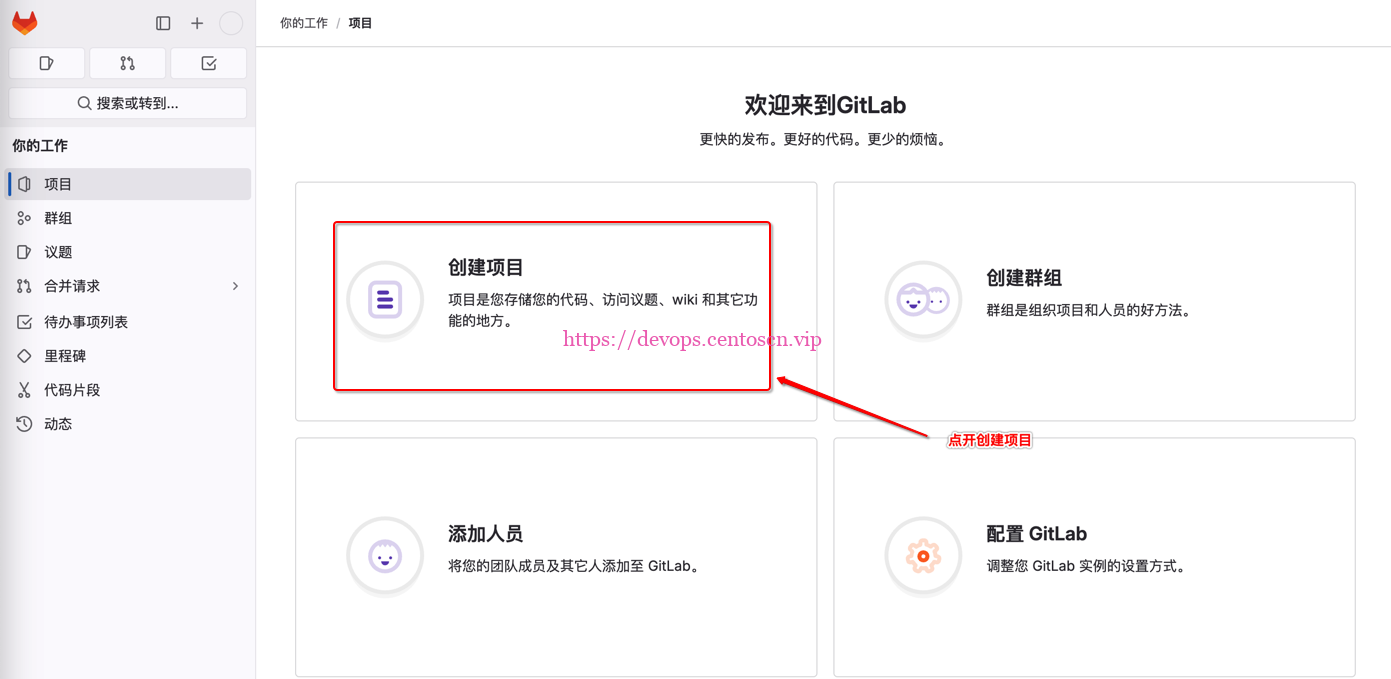
3.1.2 导入项目
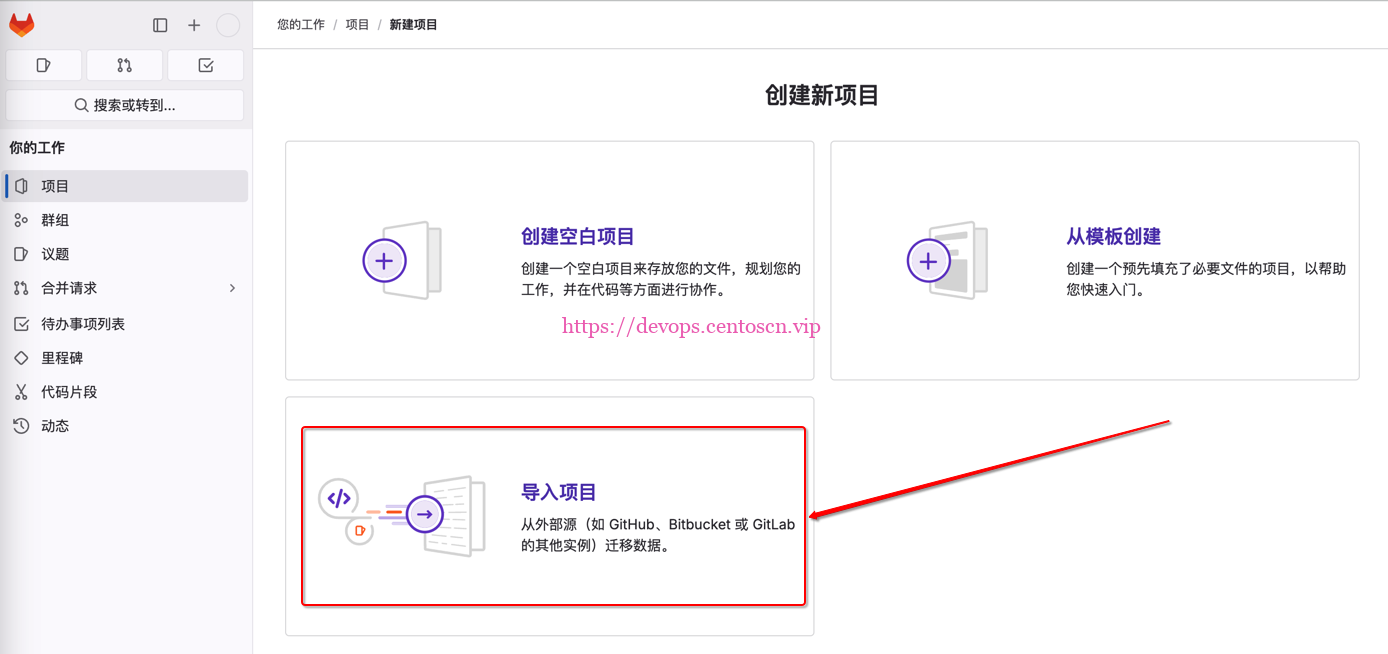
3.1.3 导入项目
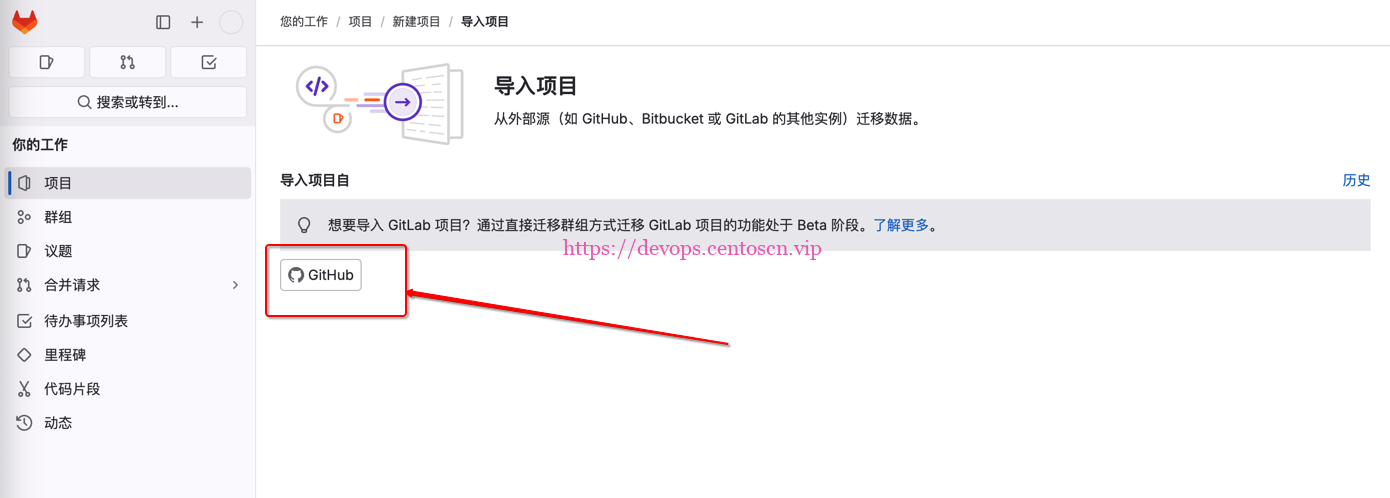
3.2 GitHub身份验证
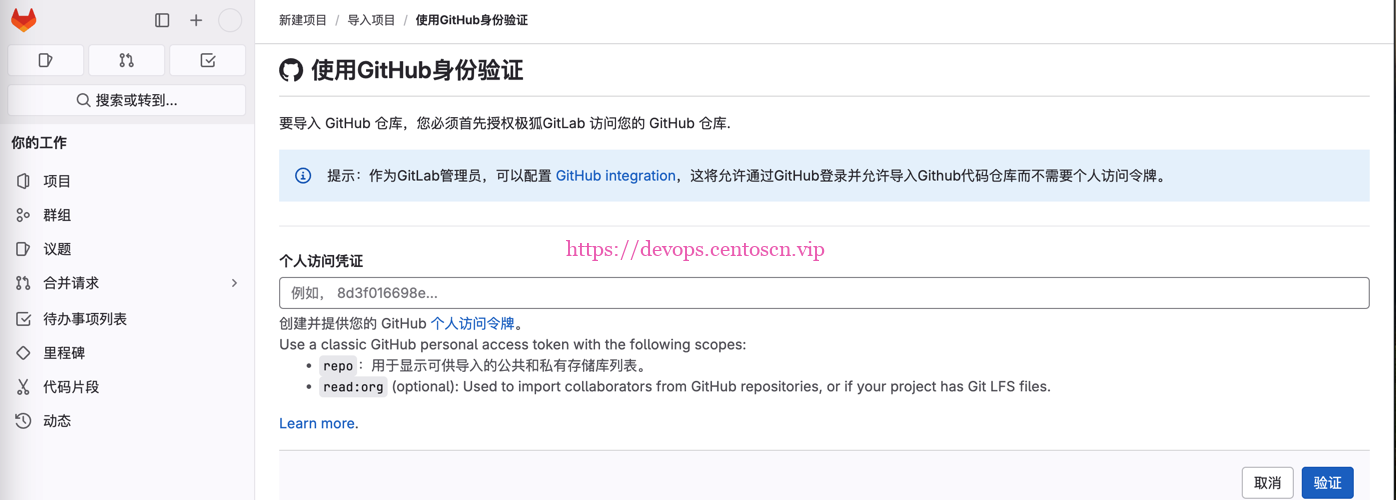
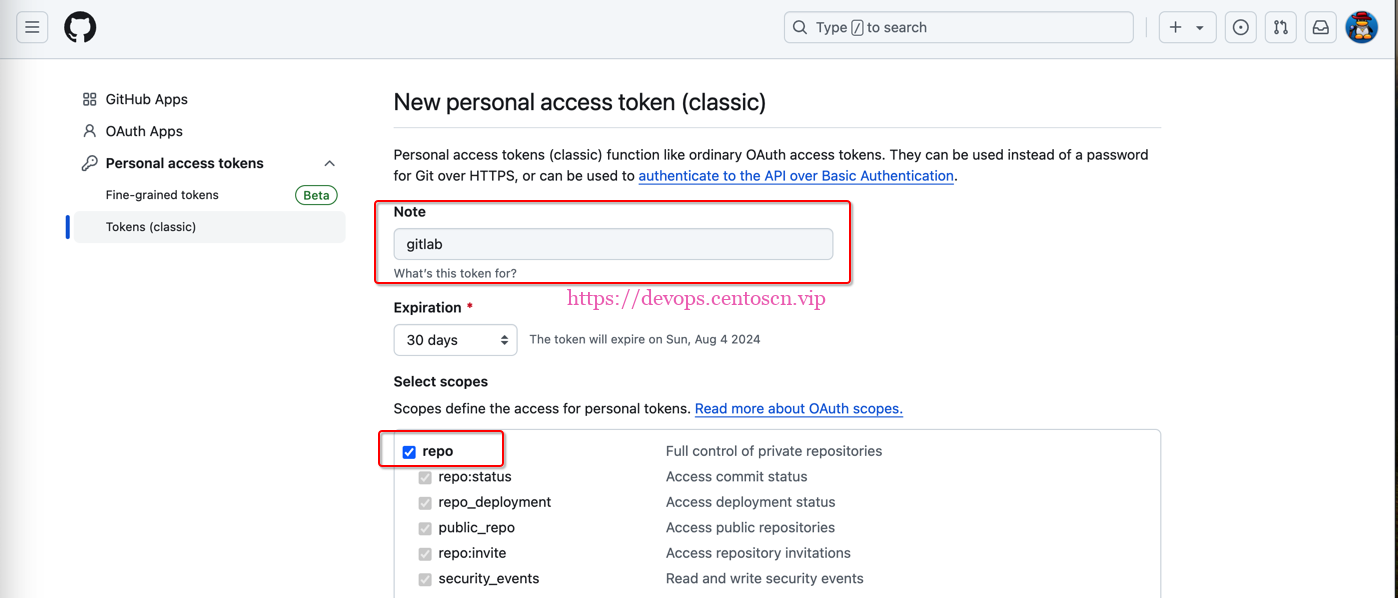
3.2.1 获取GitHub的token
-
点击个人令牌
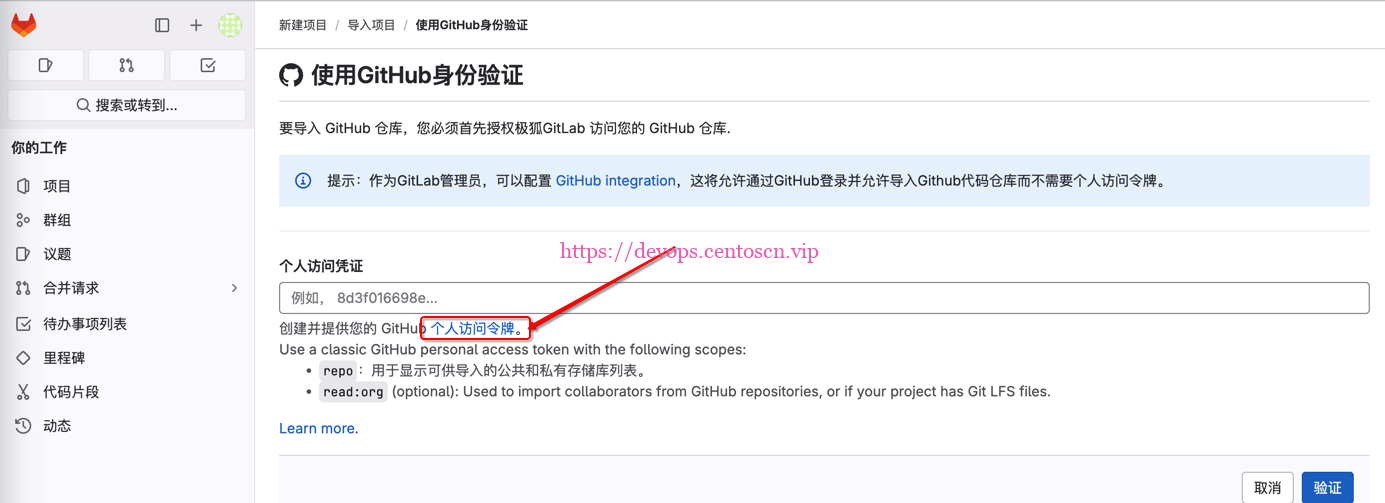
-
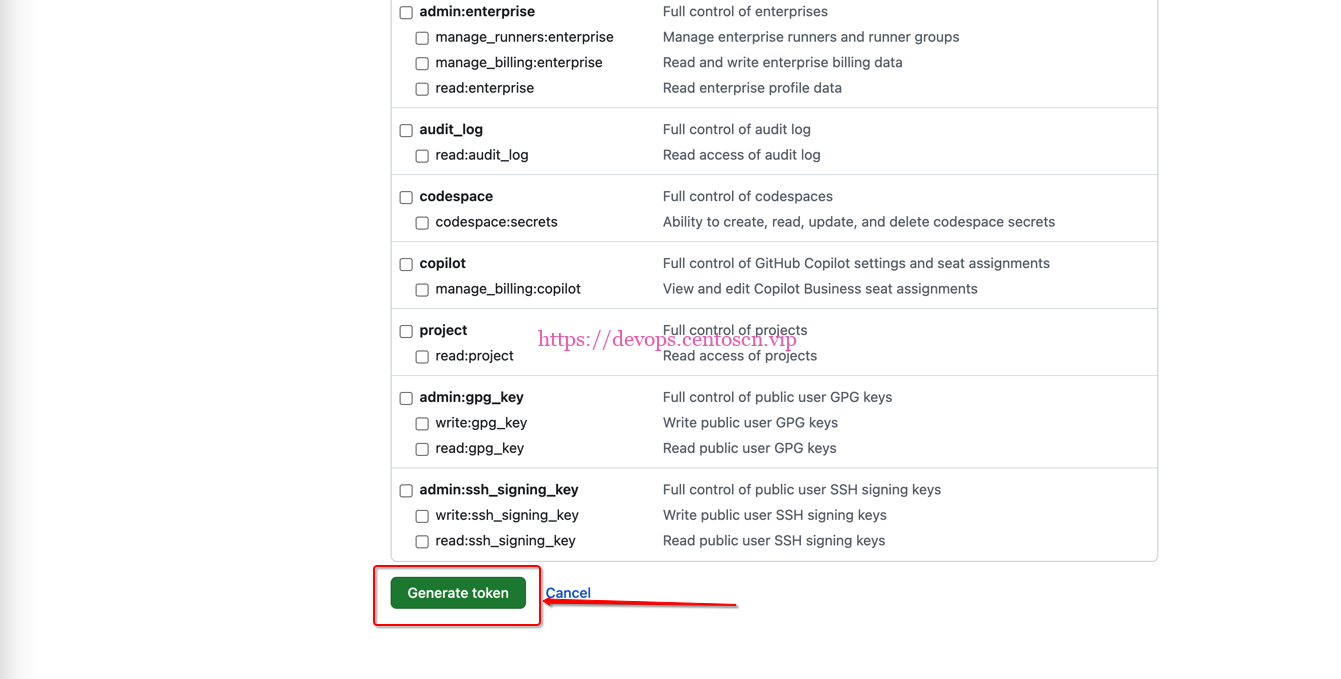
创建token
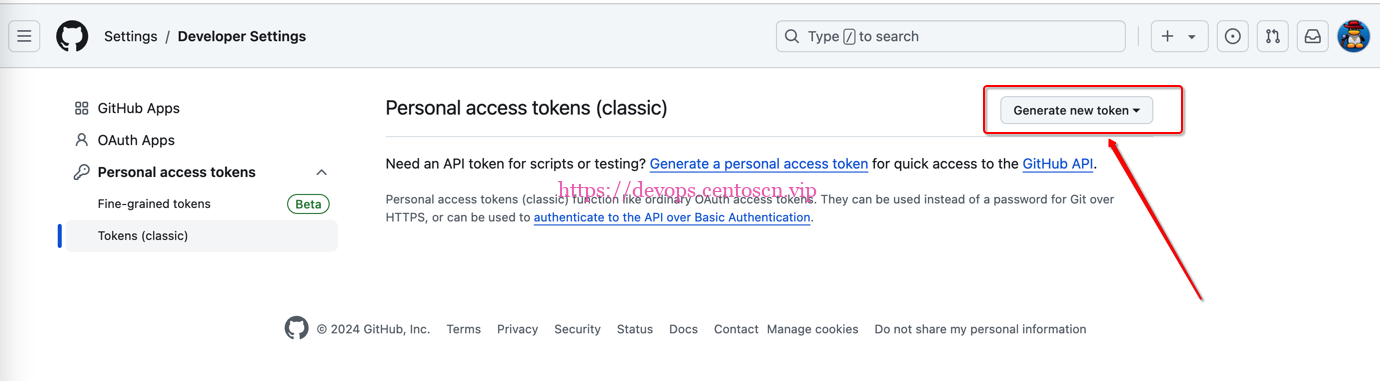
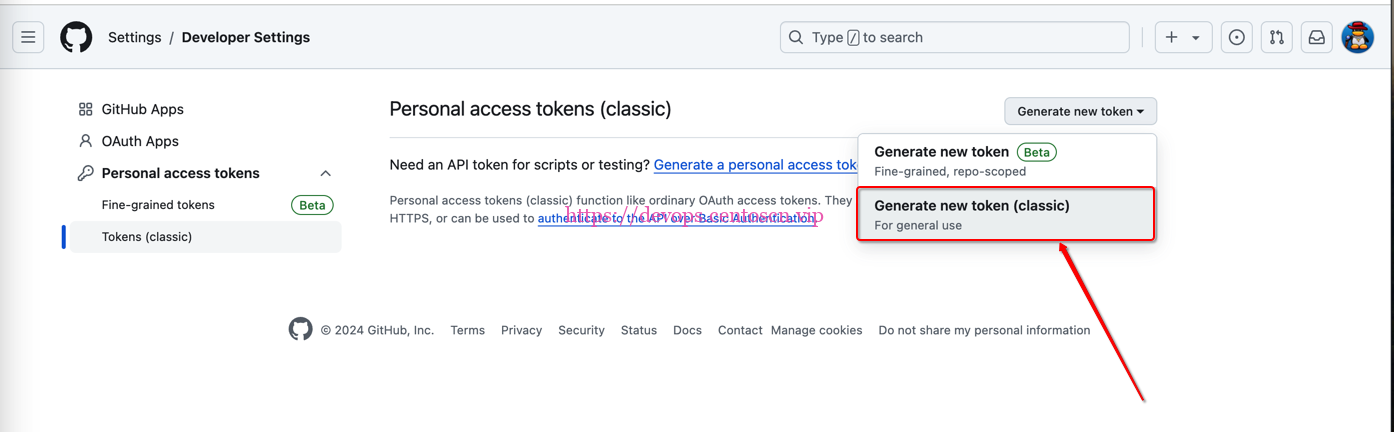
-
Note自定义,勾选repo
-
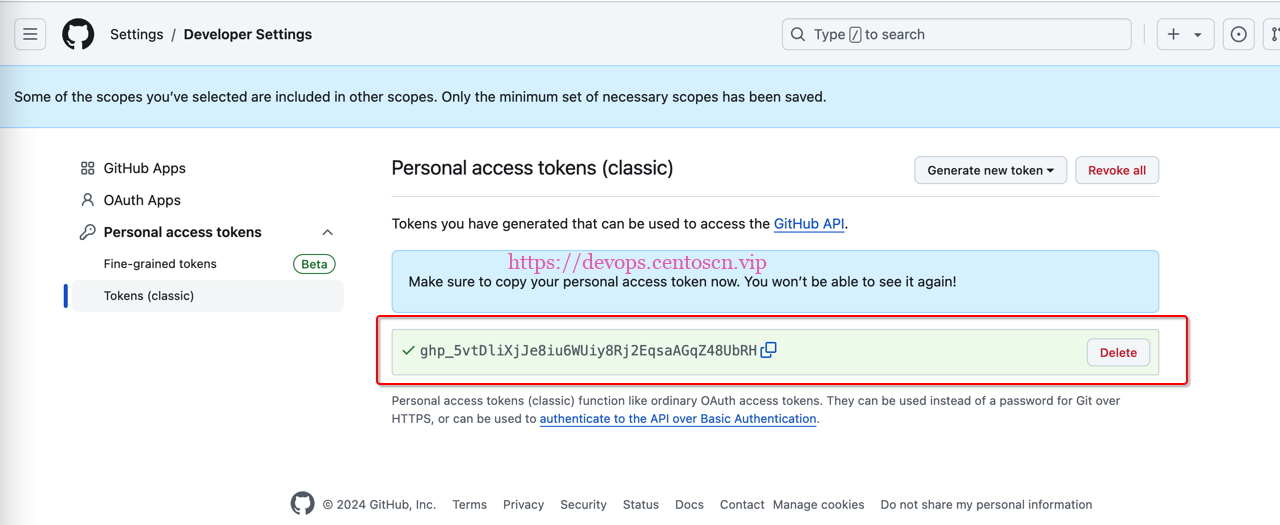
复制token备用
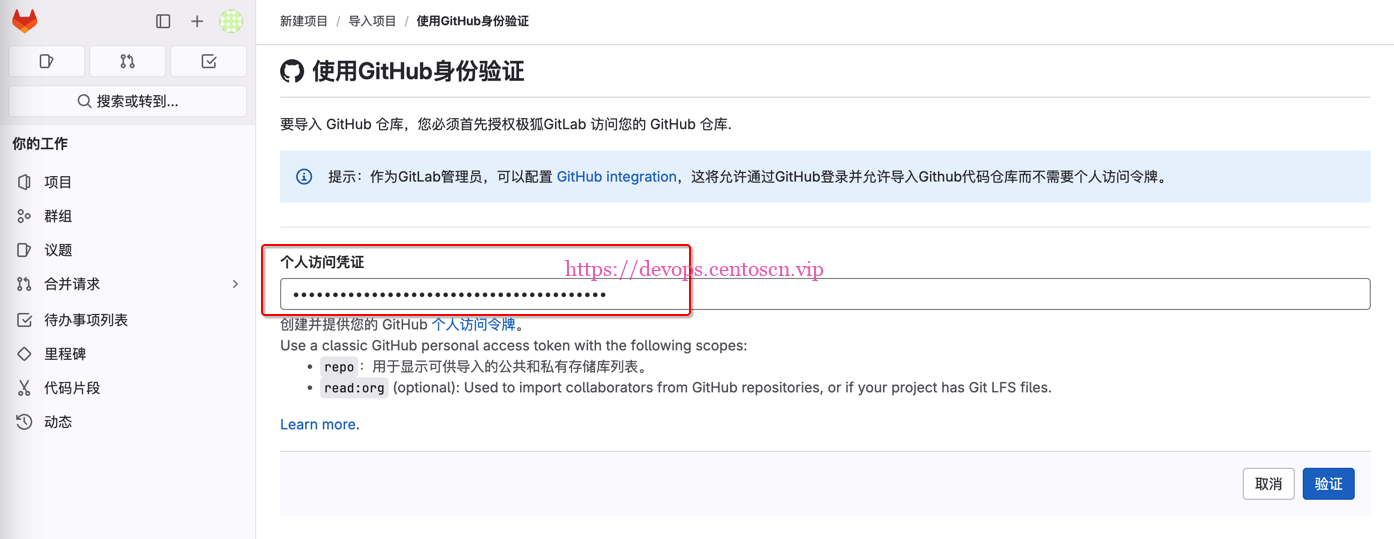
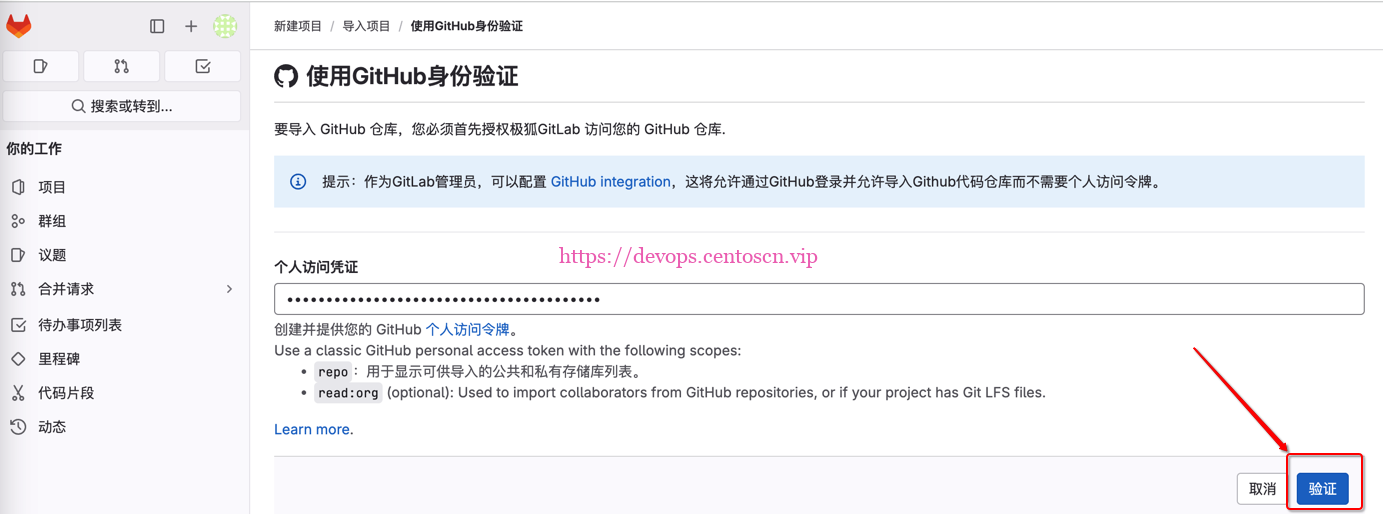
3.2.2 在gitlab上配置token
-
输入在GitHub上生成的token
-
验证token
-
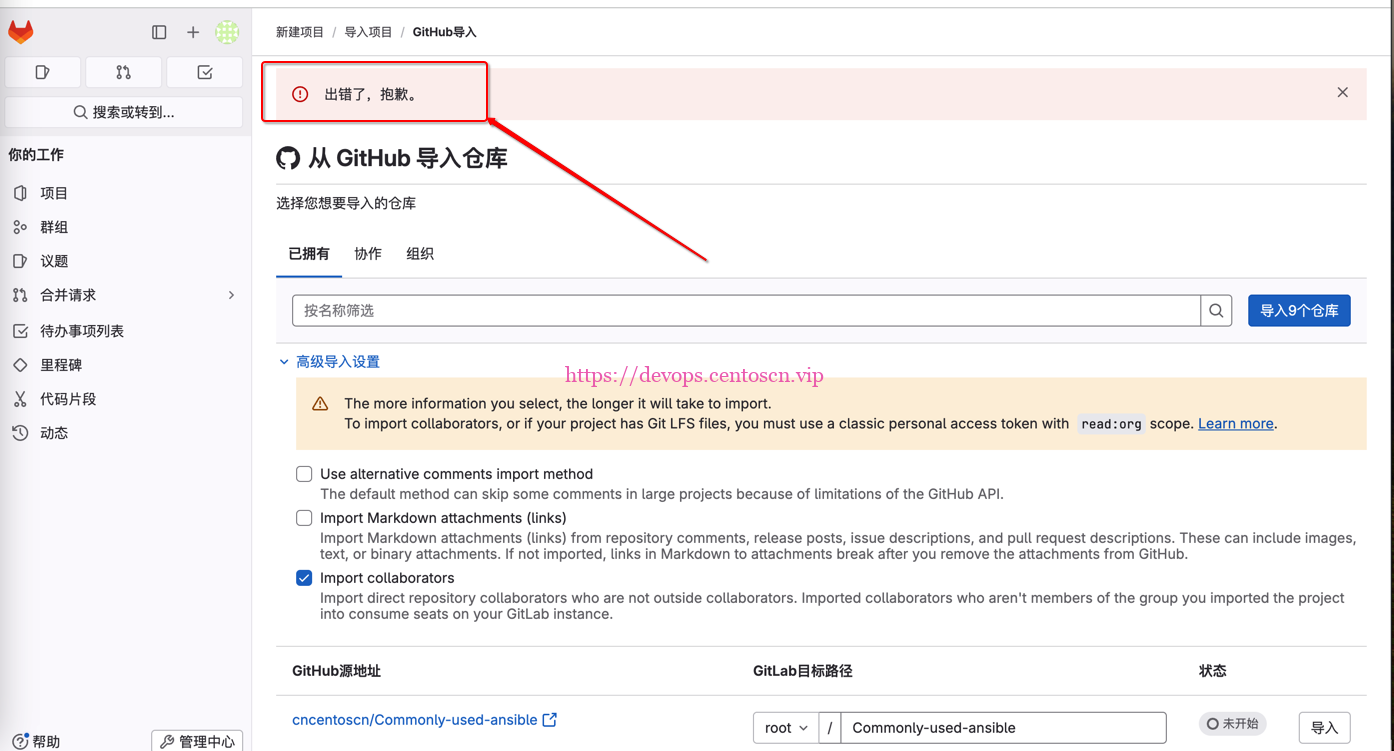
忽略未知错误
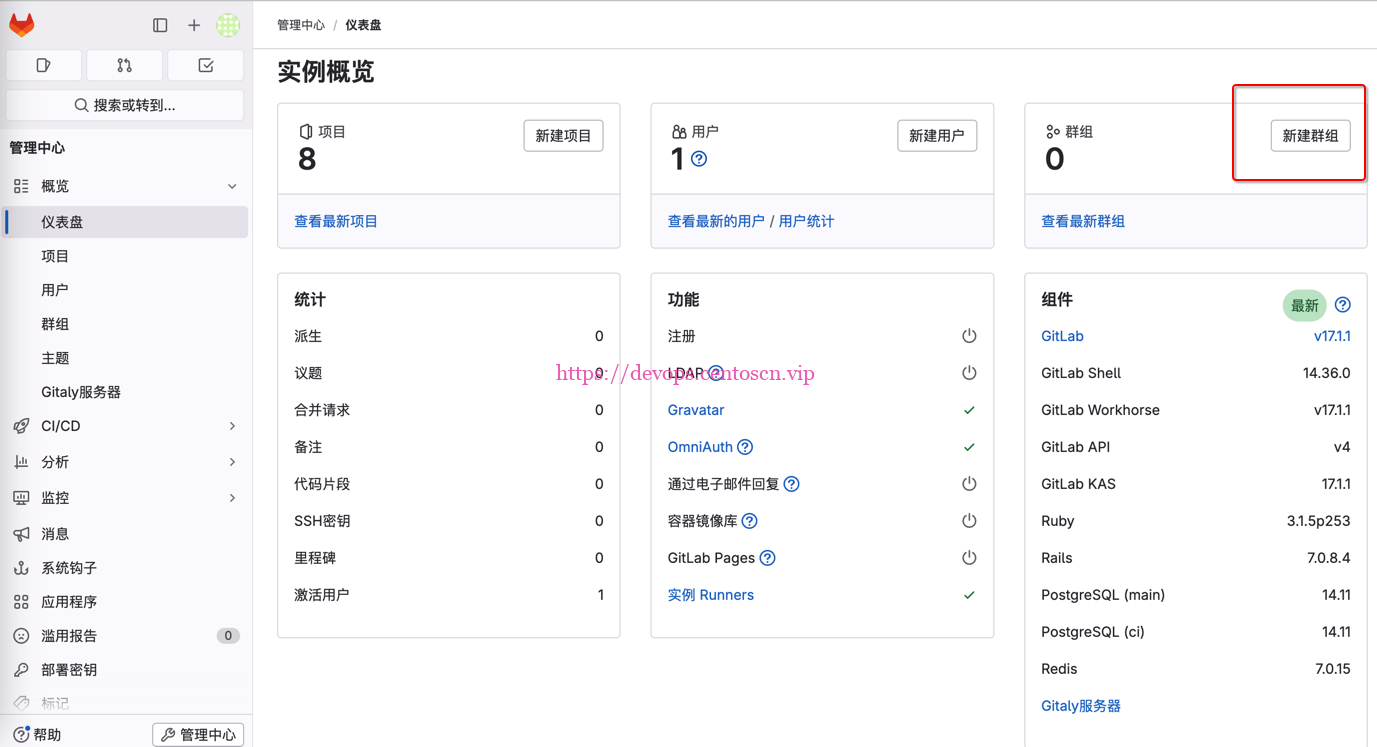
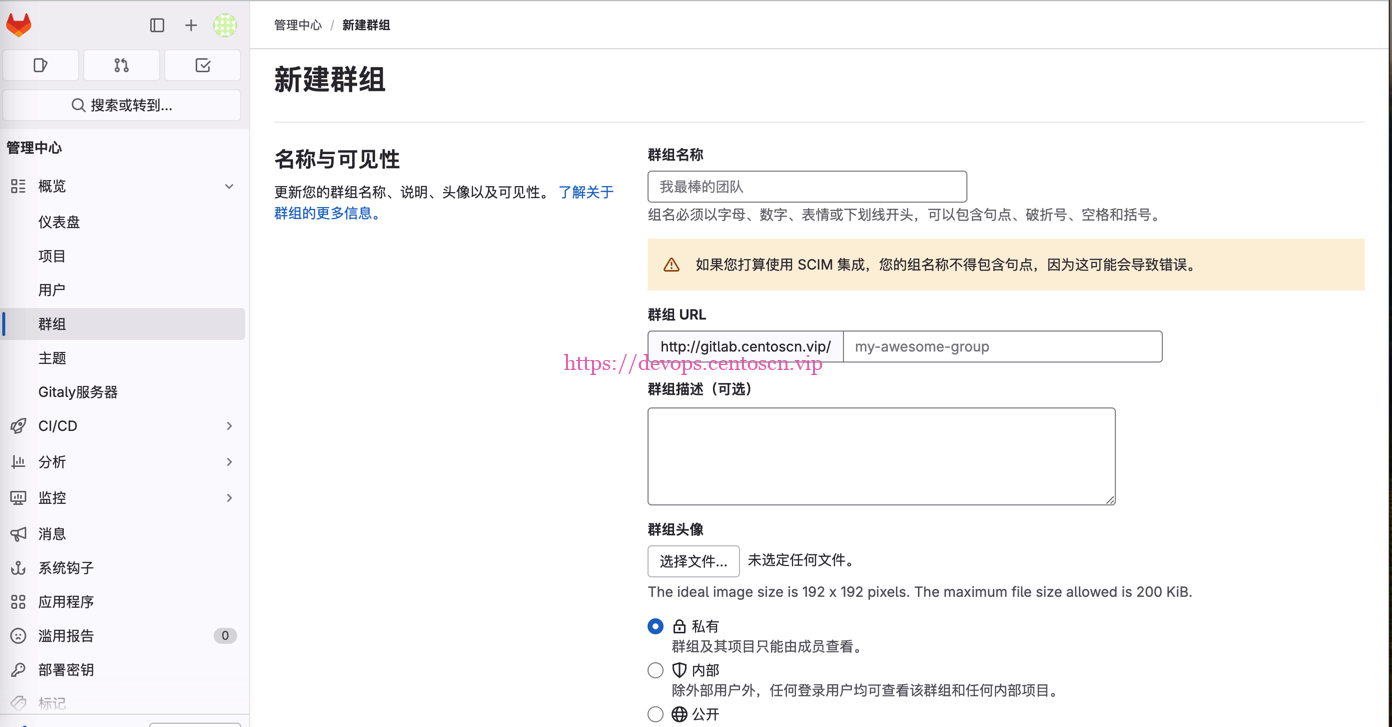
3.3.3 提前在gitlab上配置好项目群组
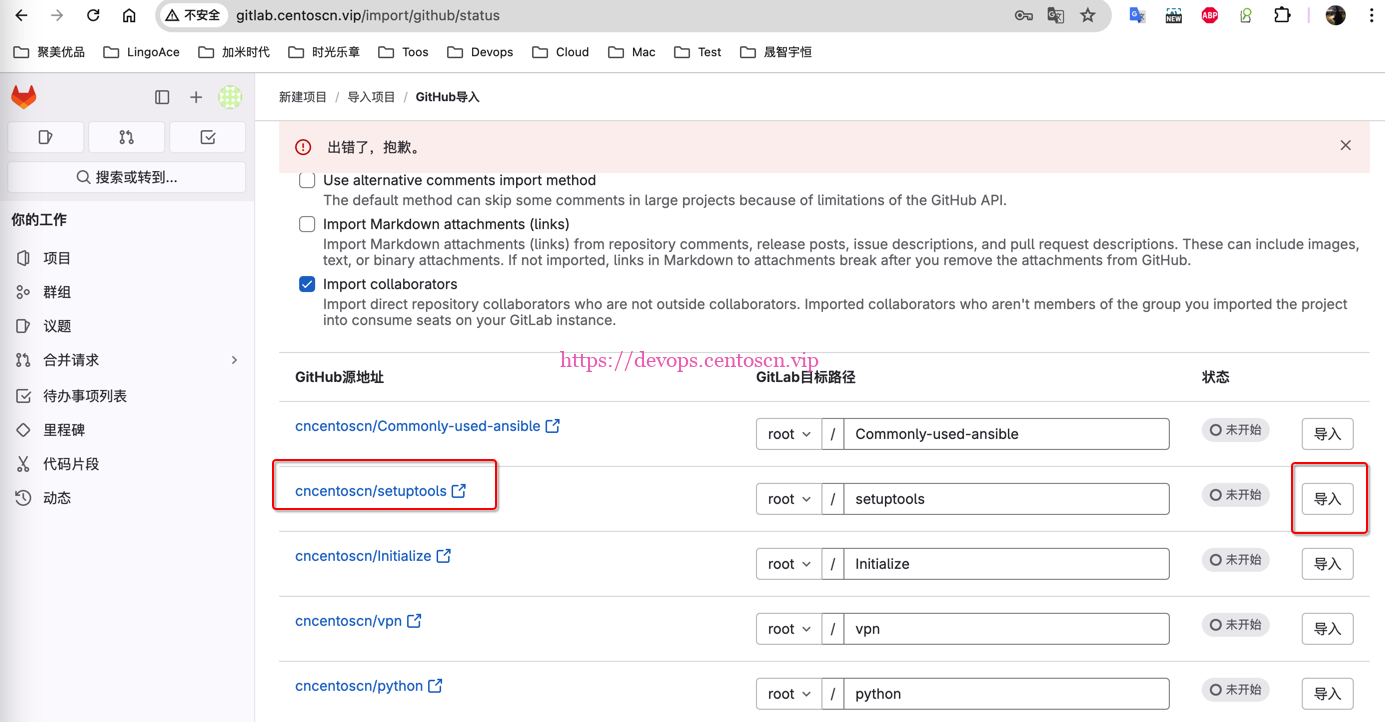
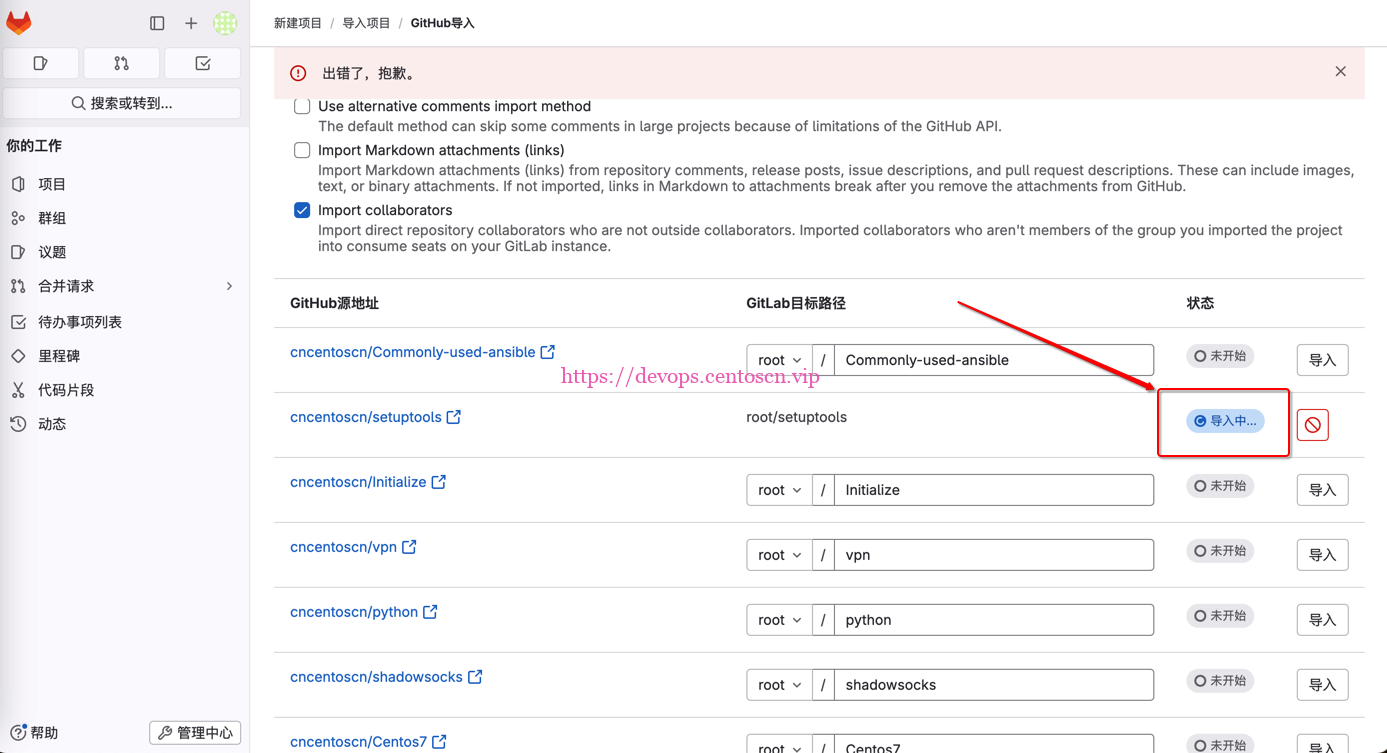
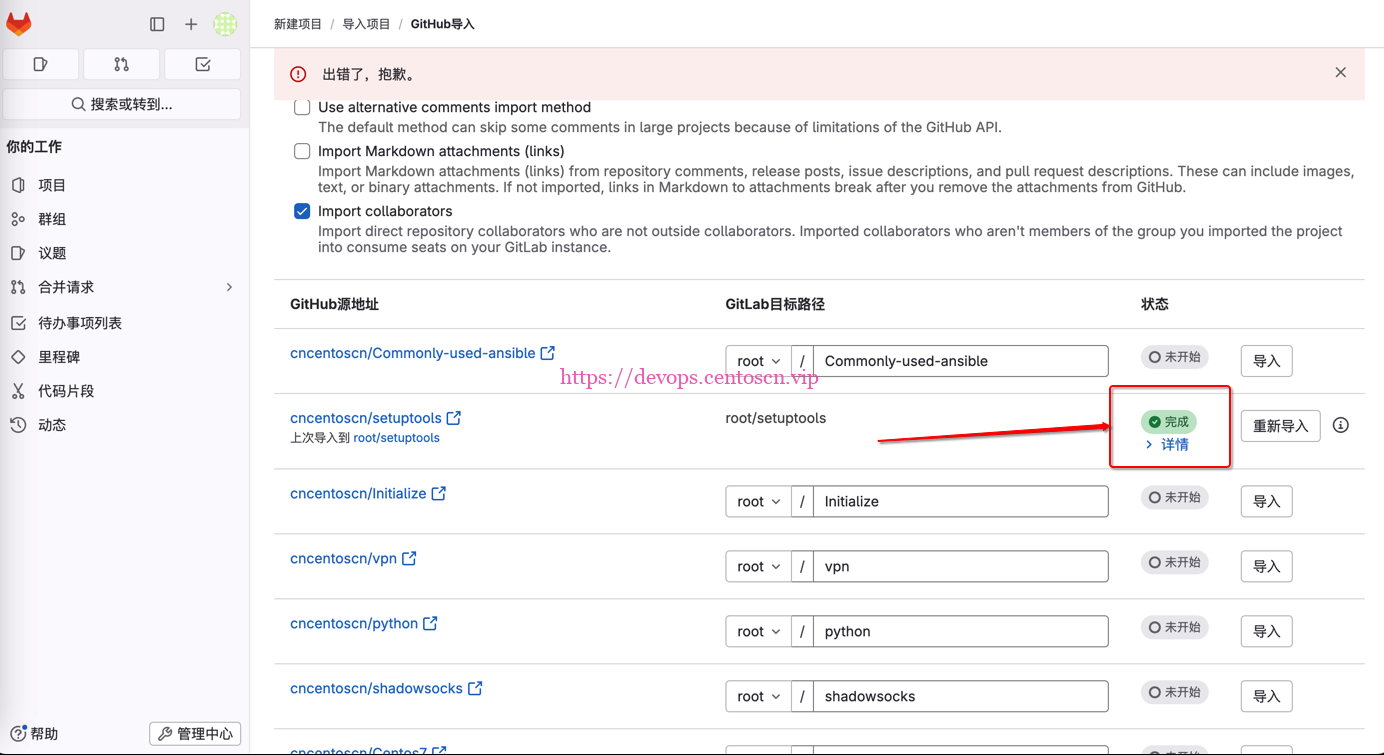
3.3.4 导入一个项目cncentoscn/setuptools
-
由于是测试场景,导入的时候未选择导入的群组,真实导入时选择所需群组。
3.3.5 导入全部项目
-
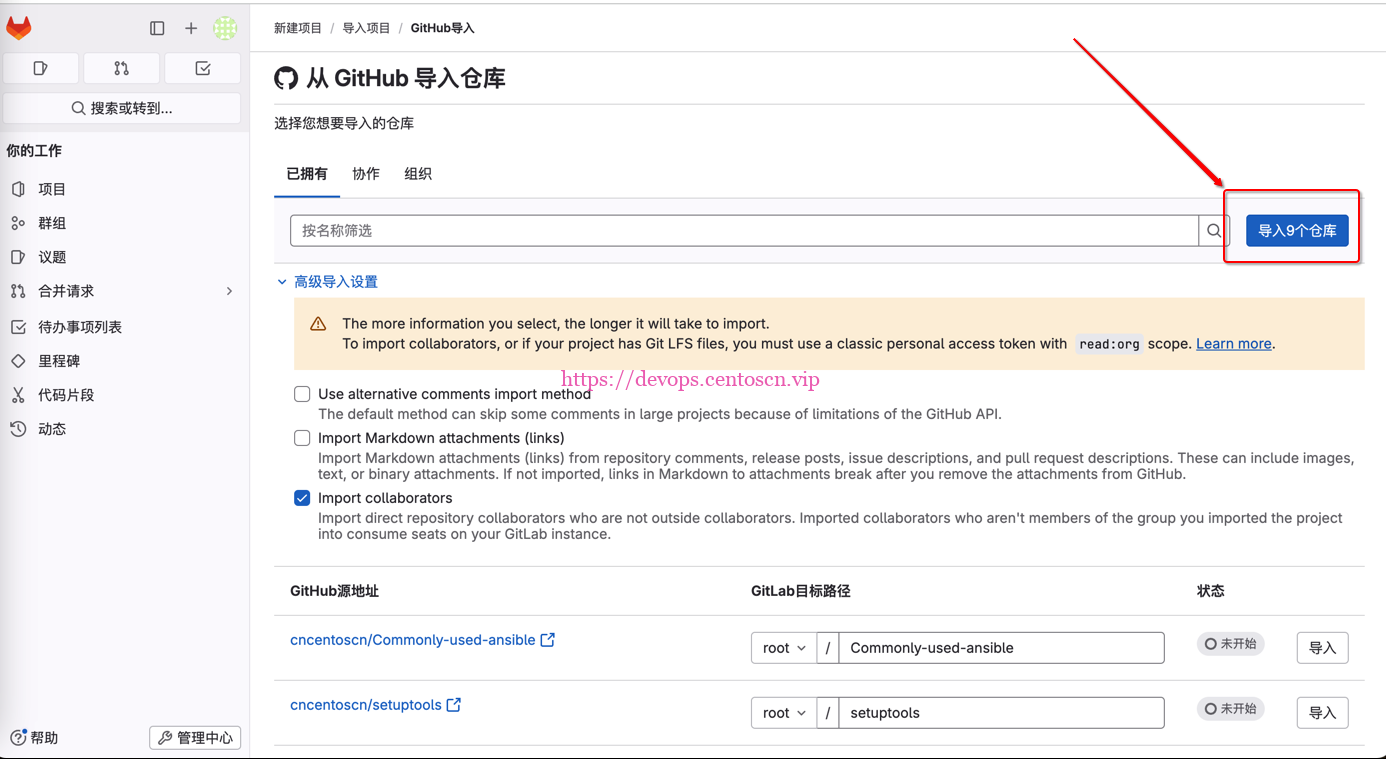
由于是测试场景,导入的时候未选择导入的群组,真实导入时选择所需群组。
-
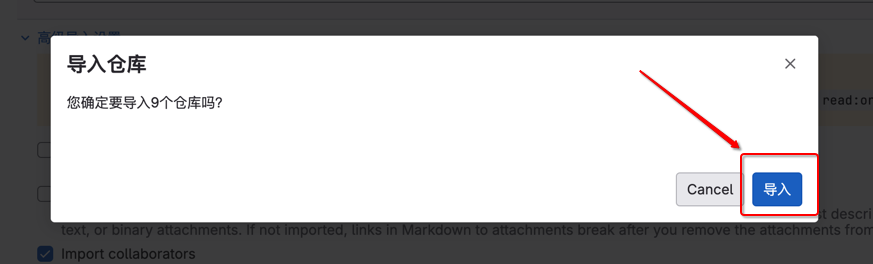
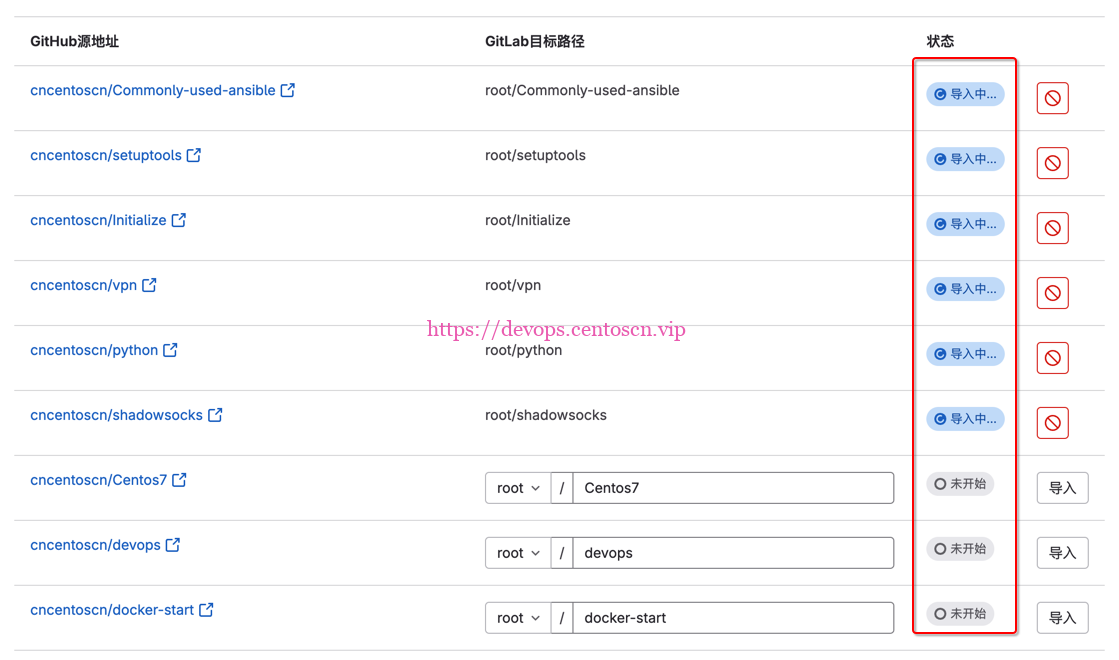
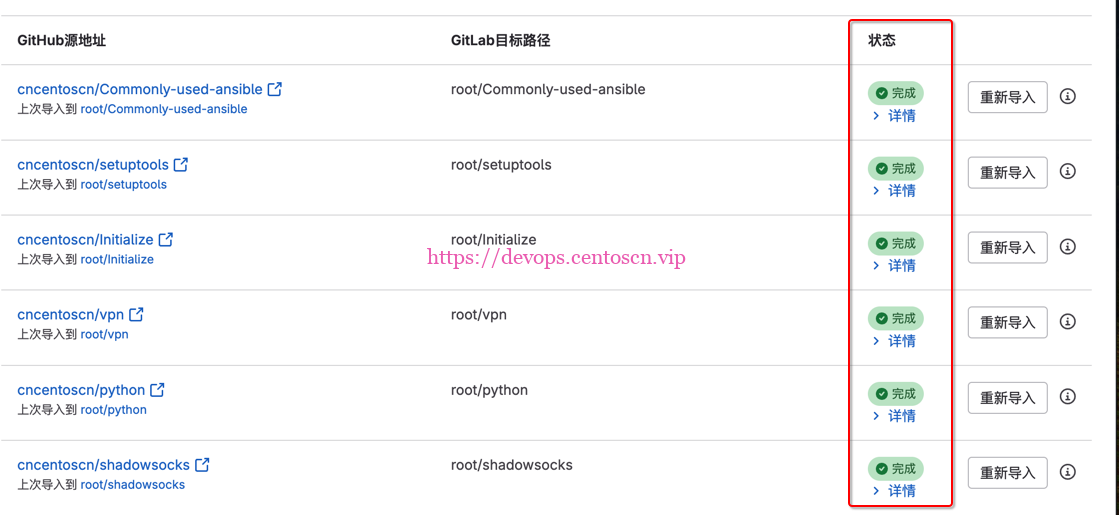
导入的时候,选择的是9个,真正导入是6个并发,并发完成后选择剩余未导入的即可。
-
选择的项目越多,导入的时间会很长,不要关闭界面,耐心等待即可。
五、验证
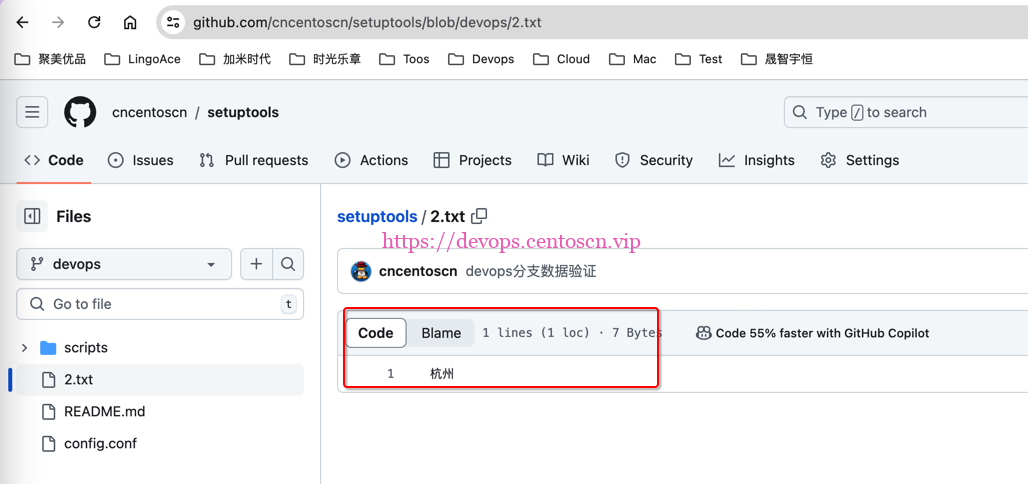
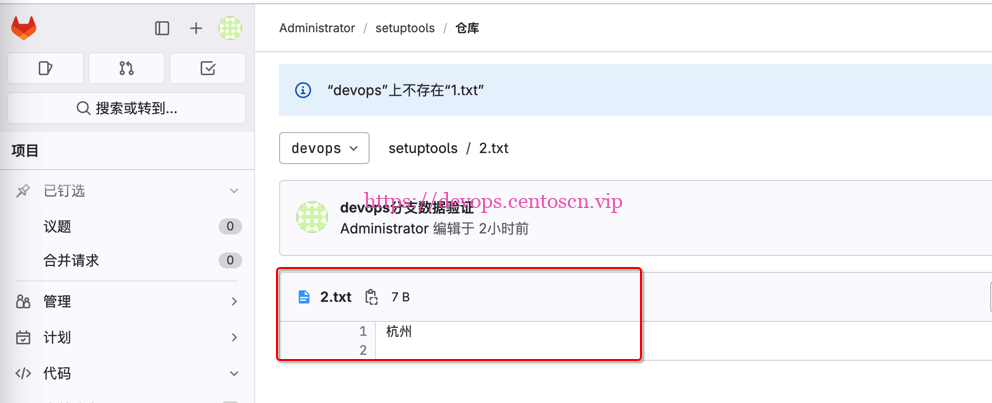
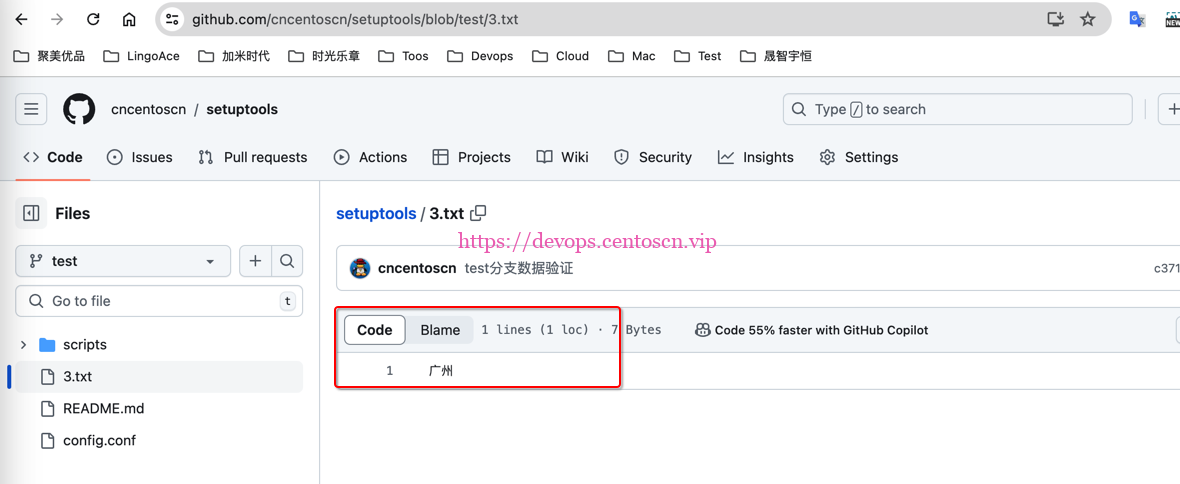
4.1 验证模拟场景数据是否一致
4.1.1 验证模拟场景A (二/A 模拟master分支代码提交)
-
原始仓库GitHub
-
目标仓库gitlab
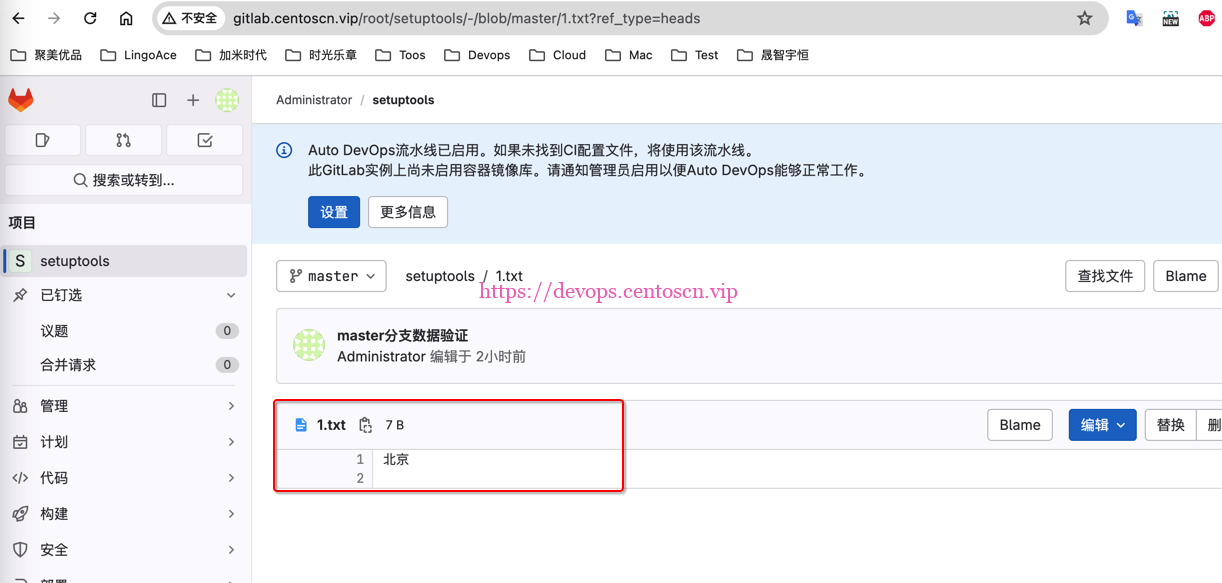
4.1.2 验证模拟场景B (二/B模拟devops分支代码提交)
-
原始仓库GitHub
-
目标仓库gitlab
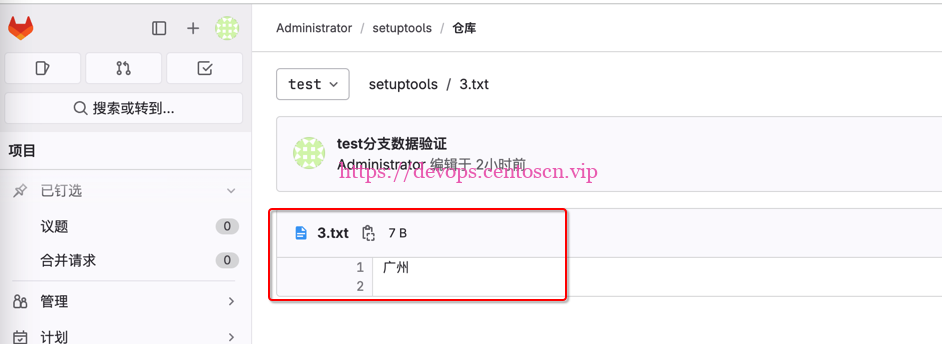
4.1.3 验证模拟场景C (二/C模拟test分支代码提交)
-
原始仓库GitHub
-
目标仓库gitlab
五 、修改仓库地址
5.1 检查当前的远程仓库地址
-
使用
cd命令切换到你的本地Git仓库目录 -
查看本地仓库远程地址
devops@localhost ~ % cd setuptools
devops@localhost setuptools % git remote -v
origin        git@github.com:cncentoscn/setuptools.git (fetch)
origin        git@github.com:cncentoscn/setuptools.git (push)
5.2 更新本地代码远程仓库地址示例
-
旧的git地址 git@github.com:cncentoscn/setuptools.git
-
新的git地址 git@gitlab.centoscn.vip:root/setuptools.git
devops@localhost setuptools % git remote -v
origin        git@github.com:cncentoscn/setuptools.git (fetch)
origin        git@github.com:cncentoscn/setuptools.git (push)
devops@localhost setuptools % git remote set-url origin git@gitlab.centoscn.vip:root/setuptools.git
devops@localhost setuptools % git remote -v
origin        git@gitlab.centoscn.vip:root/setuptools.git (fetch)
origin        git@gitlab.centoscn.vip:root/setuptools.git (push)
5.3 提交代码到新仓库验证
devops@localhost setuptools % git branch
* devops
  master
  test
devops@localhost setuptools % ls
2.txt                README.md        config.conf        scripts
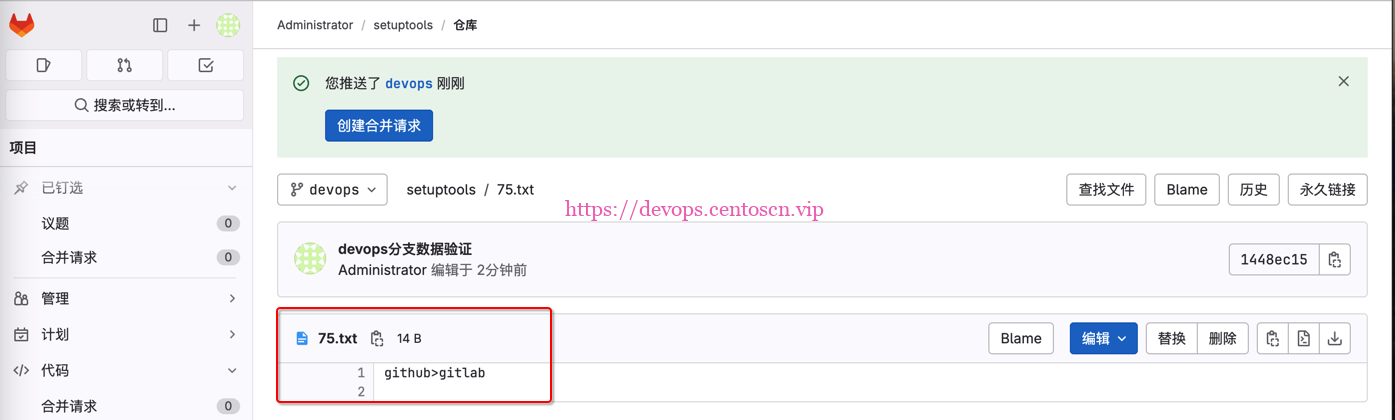
devops@localhost setuptools % echo "github>gitlab" > 75.txt
devops@localhost setuptools % git add .
devops@localhost setuptools % git commit -m "devops分支数据验证"
[devops 1448ec1] devops分支数据验证
 1 file changed, 1 insertion(+)
 create mode 100644 75.txt
devops@localhost setuptools % git push origin devops
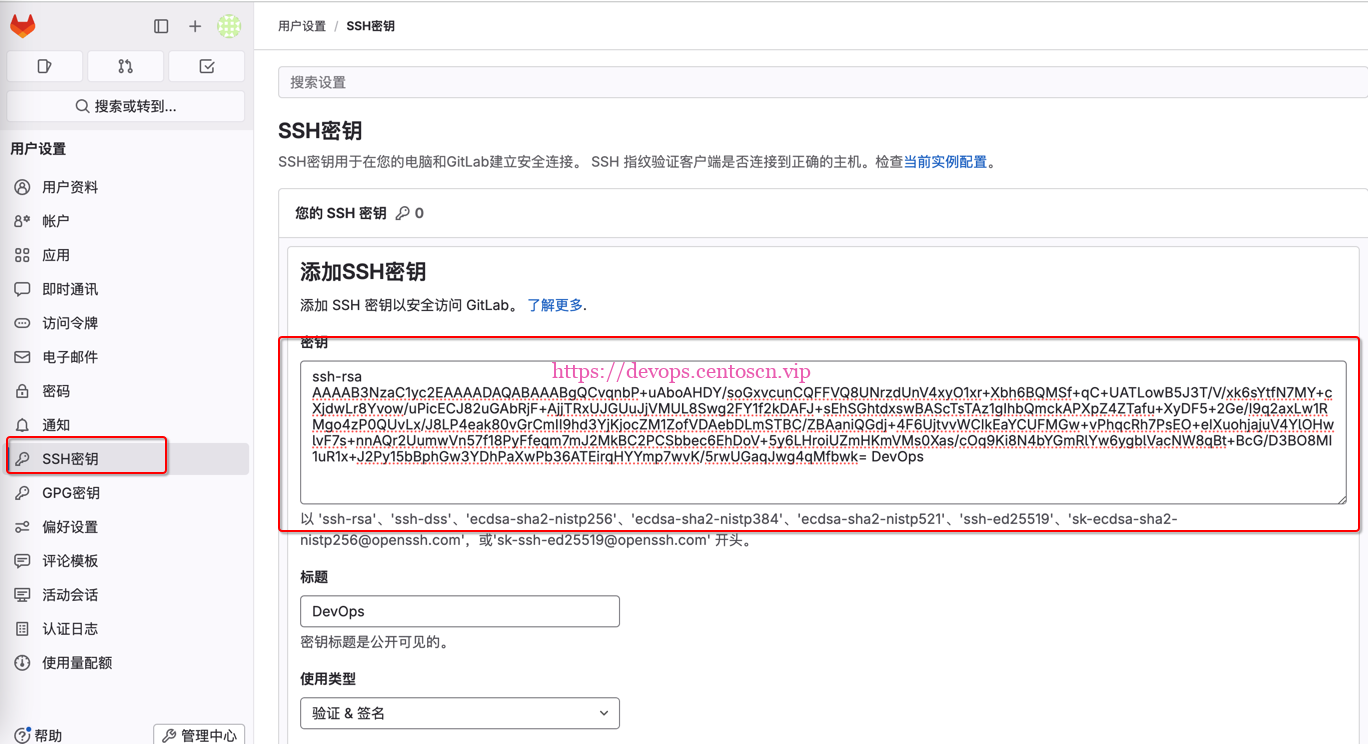
git@gitlab.centoscn.vip's password:
-
出现输入密码是因为没有把本地密钥上传到gitlab上
-
再次提交代码
devops@localhost setuptools % git push origin devops
Enumerating objects: 4, done.
Counting objects: 100% (4/4), done.
Delta compression using up to 8 threads
Compressing objects: 100% (2/2), done.
Writing objects: 100% (3/3), 303 bytes | 303.00 KiB/s, done.
Total 3 (delta 1), reused 0 (delta 0), pack-reused 0
remote:
remote: To create a merge request for devops, visit:
remote:   http://gitlab.centoscn.vip/root/setuptools/-/merge_requests/new?merge_request%5Bsource_branch%5D=devops
remote:
To gitlab.centoscn.vip:root/setuptools.git
   f2d2195..1448ec1  devops -> devops
继续阅读




评论