

DevOps
评论925字数 464阅读1分32秒阅读模式

一、生成证书
1.1 简述
一键生成私有证书脚本,兼容CentOS 7.9系统和Ubuntu 20.04.6以上系统,运行脚本加IP地址即可。
1.2 生成
-
在CentOS或Ubuntu系统上使用root账户执行,能上网即可。
A、上传脚本

B、添加权限
[root@devops ~]# ls
anaconda-ks.cfg  ssl.sh
[root@devops ~]# chmod 777 ssl.sh
C 、执行脚本
-
比如给172.24.254.15这个IP地址生成私有证书
root@iZ2ze4:~# chmod 777 ssl.sh
root@iZ2ze4:~# ip add
1: lo: <LOOPBACK,UP,LOWER_UP> mtu 65536 qdisc noqueue state UNKNOWN group default qlen 1000
    link/loopback 00:00:00:00:00:00 brd 00:00:00:00:00:00
    inet 127.0.0.1/8 scope host lo
       valid_lft forever preferred_lft forever
    inet6 ::1/128 scope host
       valid_lft forever preferred_lft forever
2: eth0: <BROADCAST,MULTICAST,UP,LOWER_UP> mtu 1500 qdisc fq_codel state UP group default qlen 1000
    link/ether 00:16:3e:0e:73:52 brd ff:ff:ff:ff:ff:ff
    inet 172.24.254.15/20 brd 172.24.255.255 scope global dynamic eth0
       valid_lft 315359840sec preferred_lft 315359840sec
    inet6 fe80::216:3eff:fe0e:7352/64 scope link
       valid_lft forever preferred_lft forever
-
生成证书
root@iZ2ze4:~# ./ssl.sh 172.24.254.15
Hit:1 http://mirrors.cloud.aliyuncs.com/ubuntu focal InRelease
Hit:2 http://mirrors.cloud.aliyuncs.com/ubuntu focal-updates InRelease
Hit:3 http://mirrors.cloud.aliyuncs.com/ubuntu focal-backports InRelease
Hit:4 http://mirrors.cloud.aliyuncs.com/ubuntu focal-security InRelease
Reading package lists... Done
Reading package lists... Done
Building dependency tree
Reading state information... Done
openssl is already the newest version (1.1.1f-1ubuntu2.22).
0 upgraded, 0 newly installed, 0 to remove and 16 not upgraded.
ip为 172.24.254.15
Generating RSA private key, 4096 bit long modulus (2 primes)
.............................................++++
.........++++
e is 65537 (0x010001)
Signature ok
subject=C = CN, ST = BeiJing, L = BeiJing, O = shengzhiyuheng, CN = shengzhiyuheng CA Center
Getting Private key
Generating RSA private key, 2048 bit long modulus (2 primes)
....................................+++++
..+++++
e is 65537 (0x010001)
Signature ok
subject=C = CN, ST = BeiJing, L = BeiJing, O = shengzhiyuheng, CN = 172.24.254.15
Getting CA Private Key
私有证书有效期:20年
证书目录地址:/data/devops/172.24.254.15
二、证书信任
2.1 导出ca.crt到客户端
[root@devops 192.168.1.102]# sz ca.crt
rz
Starting zmodem transfer.  Press Ctrl+C to cancel.
Transferring ca.crt...
  100%       1 KB       1 KB/sec    00:00:01       0 Errors
2.2 导入证书到系统
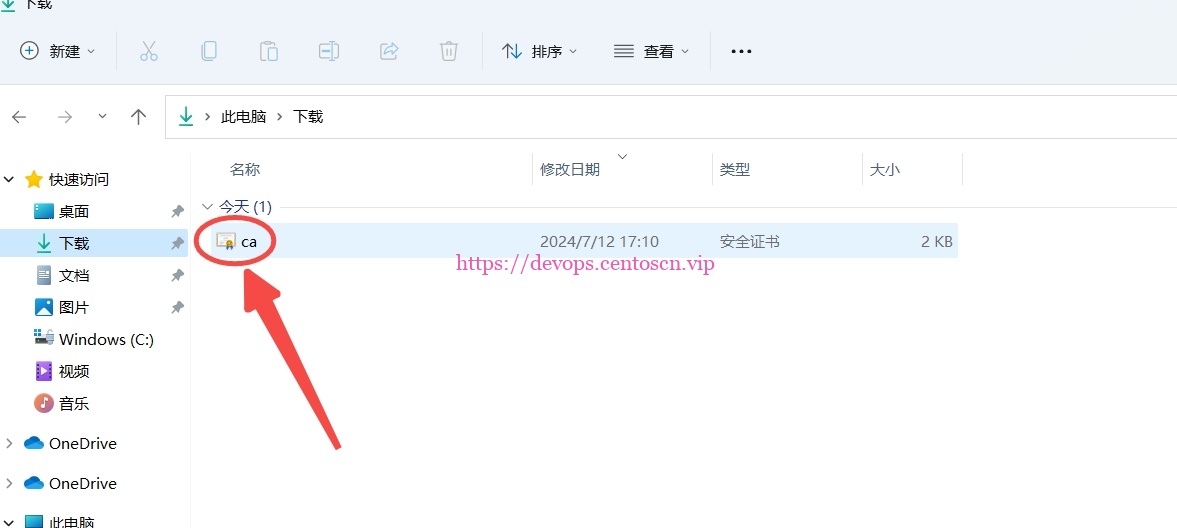
2.3 安装证书到系统
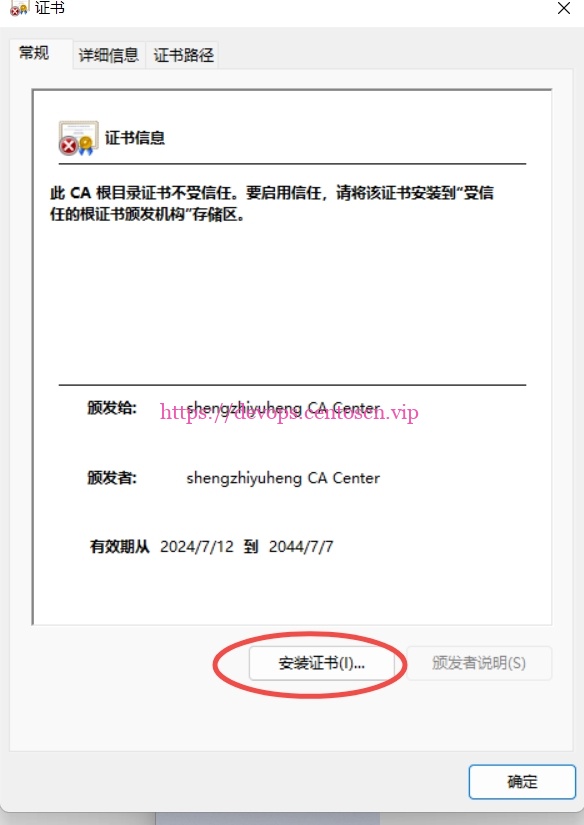
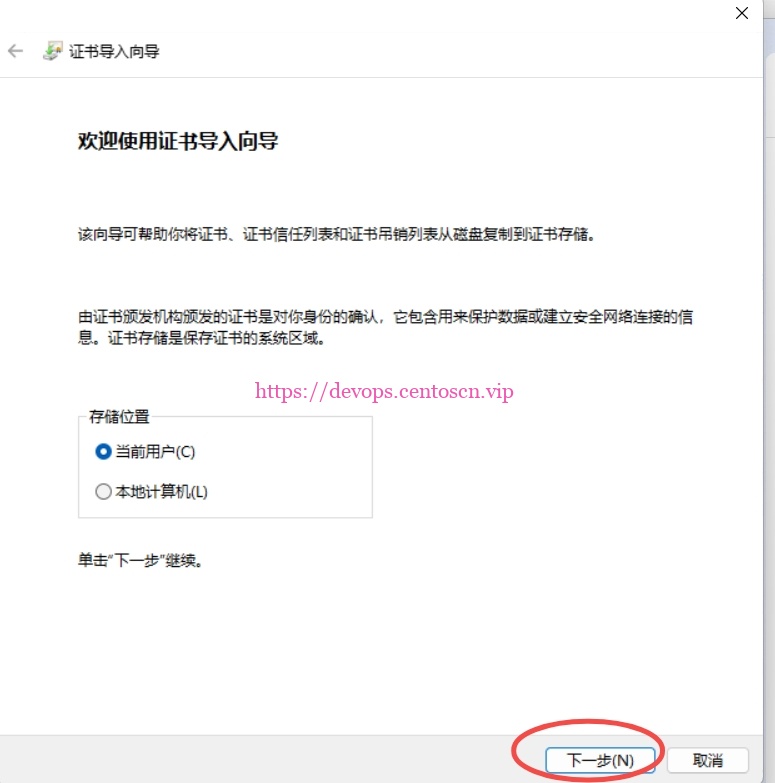
2.4 选择所需用户
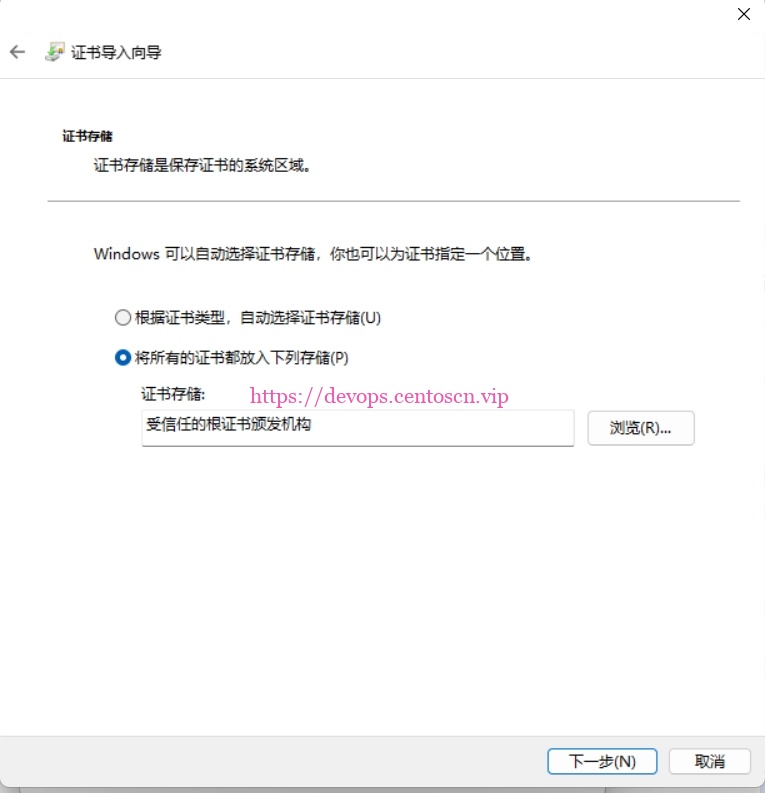
2.5 导入证书到根机构
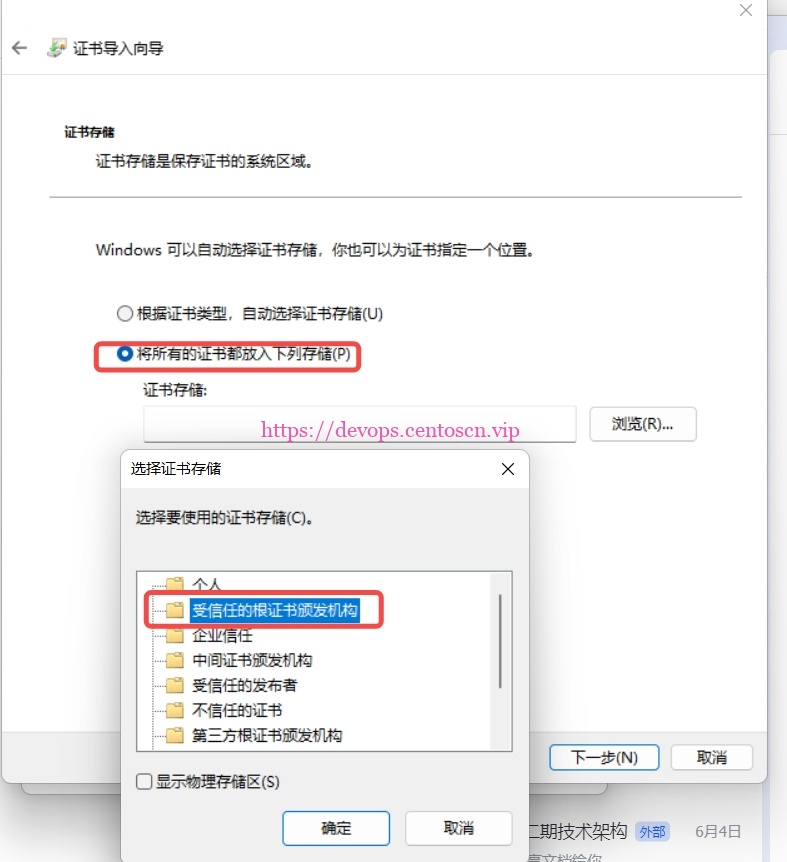
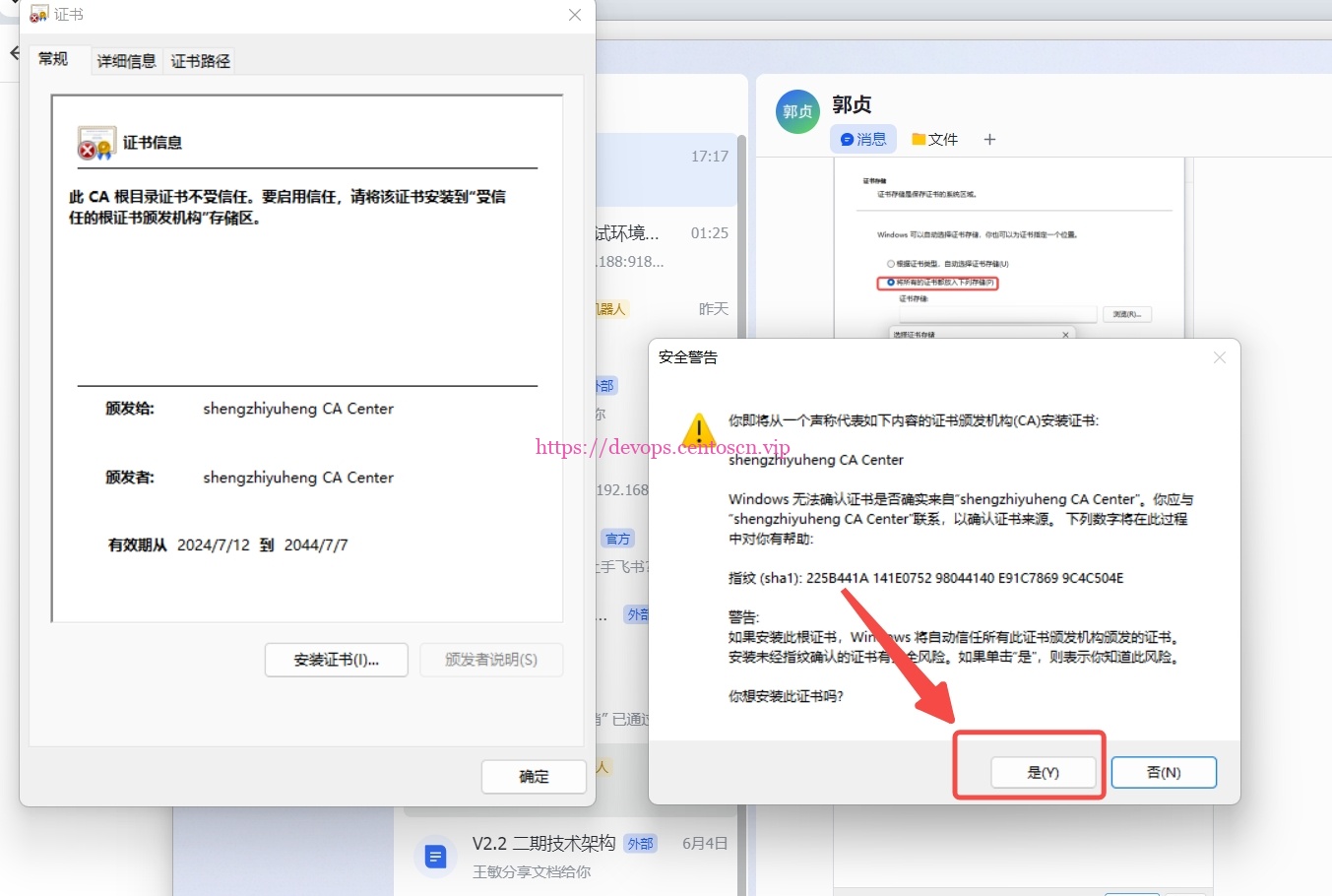
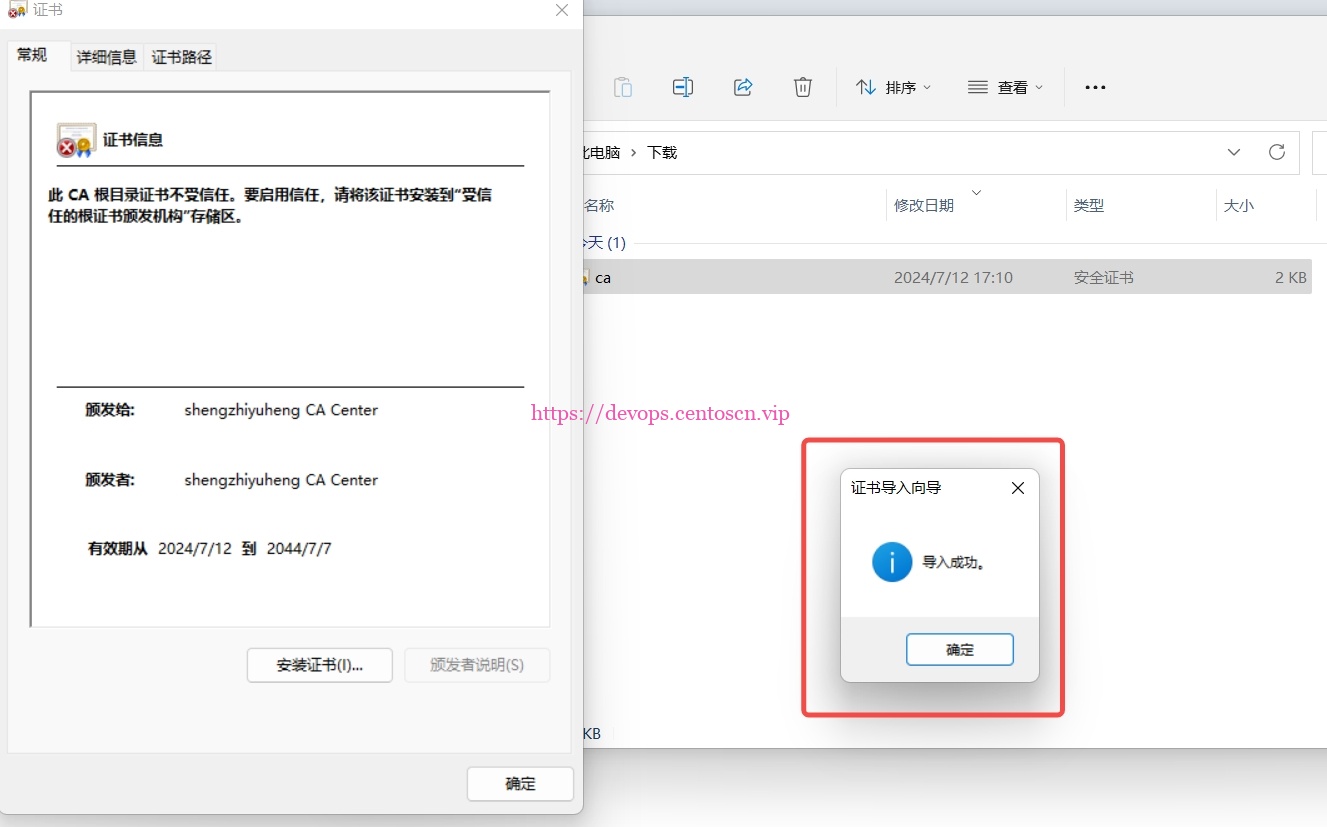
2.6 根证书确认
三、验证证书
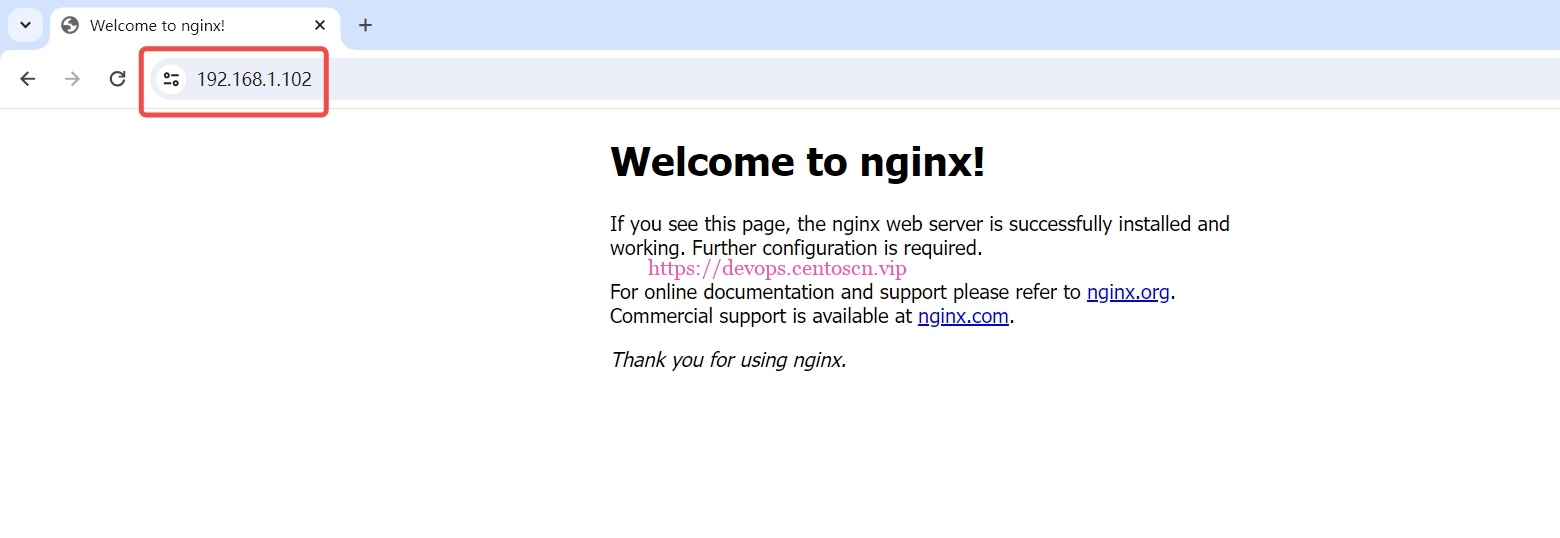
3.1 没有提示即可
-
如有红色提示,清除浏览器历史记录即可。
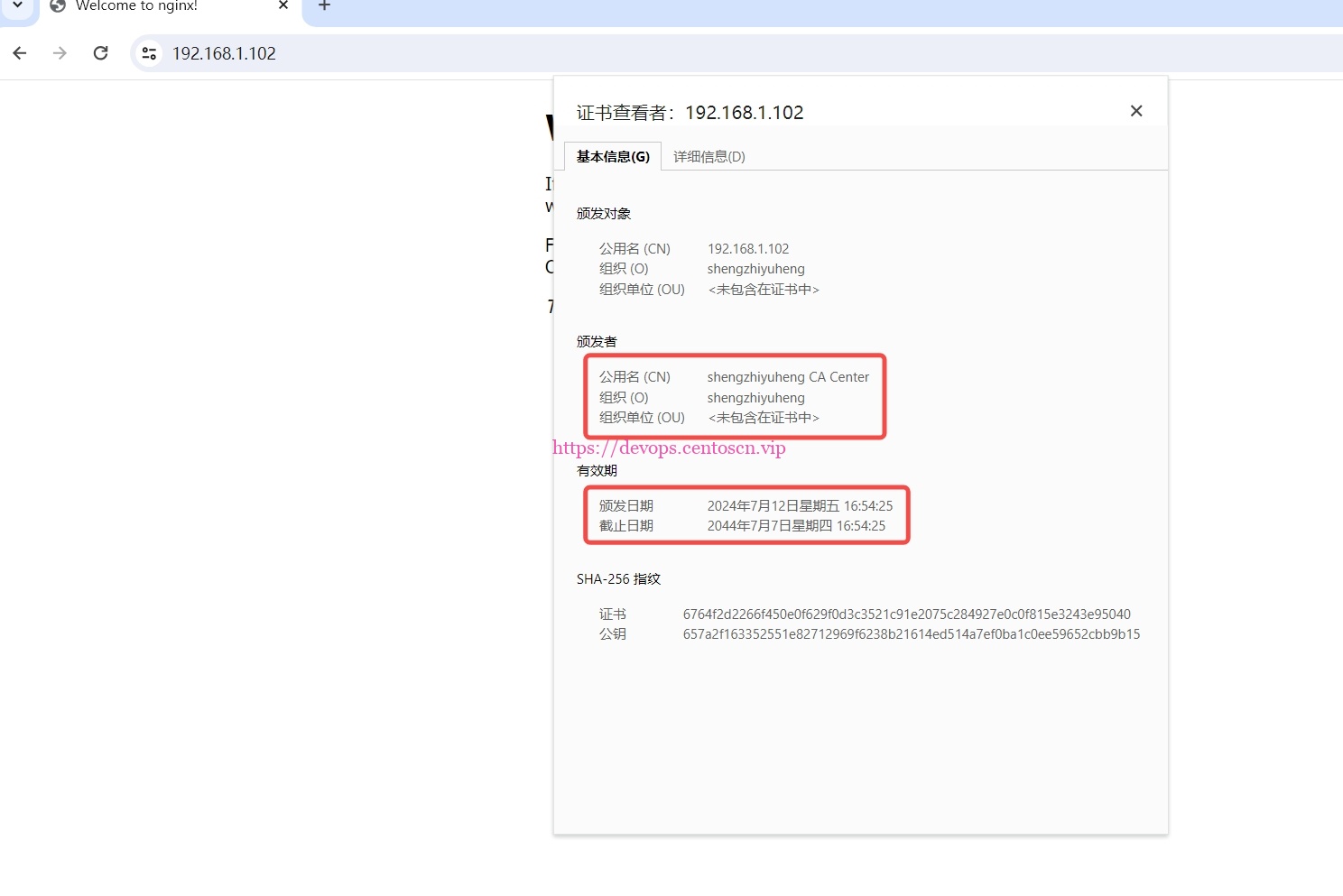
3.2 有效期和组织
-
有效期20年
-
组织名使用xxxx拼音
继续阅读







评论